 Chiho AI
How to Manage Telegram Customer Conversations as a Team
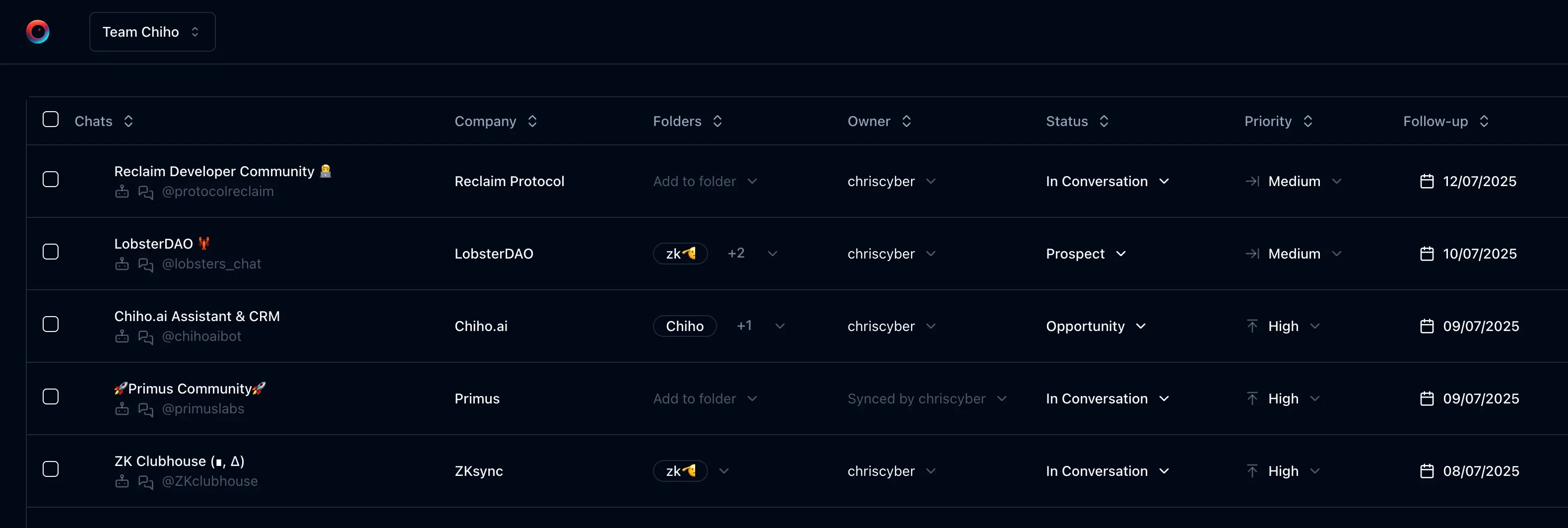
Manage Telegram customer conversations as a team by keeping the customer’s latest decision, open commitment, next action, and responsible person in shared context—and asking the receiving teammate to confirm they can use it. A shared inbox alone does not establish who will reply or whether they have enough history to do so.
This guide explains a small-team handover process using Chiho’s team CRM context. The example is fictional, and the checklist is a proposed acceptance exercise, not a customer result. Product statements were checked against Chiho’s source and documentation on 9 September 2026; this update does not claim a fresh two-account production test.
For category selection, start with what a Telegram CRM does. For daily triage across an inbox, use the Telegram AI inbox guide. Here the goal is narrower: transfer one customer commitment between two people without leaving access, responsibility, or sending ambiguous.
Establish the shared scope before handing over work
Chiho distinguishes personal CRM context from team CRM context. Team CRM operations check membership and address the imported conversation in that team’s scope. A note or task saved in a personal context should not be assumed to appear in a teammate’s team view.
A team administrator can invite colleagues. After the intended colleague joins, verify the selected team, connected Telegram account, and customer conversation together. Connecting an account or joining a team is not evidence that every conversation and every historical message is available.
Keep three questions separate:
- CRM access: Can the receiving teammate open the intended team record and see its context?
- History access: Can they inspect the source messages needed to verify the commitment, including the latest customer reply?
- Sending identity: Which connected Telegram account would carry the reply, and is that the account your team intends to use?
Team access to imported context does not make the colleague a participant in the original Telegram chat. Chiho’s team Telegram operations also depend on resolving a usable connected account/session. Do not equate a readable CRM record with a working send path, or assume a colleague’s departure transfers their Telegram account to someone else.
Choose the customer conversations appropriate for team sharing, and review membership before importing sensitive context. For infrastructure and account-management requirements, see company deployment planning.
Put the commitment in one handover record
Use the shared notes/context available for the selected record and a dated task for the next action. Keep these fields explicit:
- Customer and conversation: enough information to distinguish this chat from similarly named people or groups.
- Confirmed facts: the customer’s request and the last agreed decision, with a message date or other source reference the teammate can find.
- Open question: what is still unknown and who can answer it.
- Next action: one concrete action, with an agreed deadline and timezone when there is one.
- Responsible person and backup: names agreed by the team, plus whether the receiving person has accepted.
- Outbound state: any pending draft, queued message, scheduled message, or automatic follow-up that could overlap with the next reply.
Treat the named responsible person as a team convention unless you have verified a specific assignment control in your workflow. Writing “Tom owns the reply” in a note does not prove that Chiho reassigned a task, notified Tom, or prevented Sarah from replying. Ask Tom to acknowledge it.
For a shorter recap format, use the customer handover note example. Keep the detailed record in one place rather than maintaining competing copies in several chats.
Worked example: from first question to accepted handover
The following names, company, and dates are illustrative. There is no measured outcome or real customer data behind this scenario.
1. Sarah records what the customer actually requested
On 9 September, Maya at Example Studio asks whether a proposed onboarding plan covers two teams. Sarah says she will return with a confirmed scope by 15:00 Singapore time on 10 September. Sarah is unavailable that afternoon, so she asks Tom to take the next action.
A useful shared note would read:
Customer: Maya, Example Studio. Confirmed request: explain whether the onboarding plan covers two teams. Source: Maya’s 9 September question and Sarah’s reply in the selected chat. Commitment: confirmed scope by 10 September, 15:00 Asia/Singapore. Open question: whether the second team changes the proposal. Next action: Tom checks the scope with the implementation lead and prepares the answer. Backup: Sarah. Acceptance: awaiting Tom. Outbound state: check pending sends before replying.
The note does not say the second team is included. That is the unresolved question. If Sarah had only set an internal target, she should label it an internal target instead of presenting it as a promise to Maya.
2. Tom checks access and the source
Tom opens the same team context from his own account. He locates Maya’s conversation, the saved note, and the task. He checks the relevant source messages and whether Maya has replied since Sarah wrote the note.
If the record or messages are missing, the handover remains incomplete. Sarah and the administrator resolve the selected scope, import/sync state, or account connection before Tom relies on it. A summary is useful orientation, but it is not proof of complete history.
3. Tom accepts one next action
Tom confirms: “I will check the two-team scope and prepare the response by 14:30 Singapore time.” The team records that acceptance and the internal preparation target, keeping the customer-facing 15:00 commitment distinct.
The CRM task should describe the work: “Confirm two-team onboarding scope and prepare Maya’s answer.” Creating or completing a task does not itself send a Telegram message. See the follow-up guide for the distinction between task tracking and automatic messaging.
4. The team checks pending sends before responding
Before an authorized reply, Tom checks the latest customer message and any existing outbound work for this conversation. Sarah may already have queued a response or enabled a follow-up. Agree who handles that pending work so a manual answer does not collide with it.
Chiho’s team queue controls distinguish the user who queued a message from a team administrator: another ordinary member cannot cancel that teammate’s queued message through the team queue-management path. Ask the sender or an administrator to handle cancellation where needed. Do not assume completing the CRM task cancels messages.
This example stops at preparation. In a real customer workflow, the team must separately authorize the intended reply from the intended connected account, inspect the sending result, and then update the handover record. A prepared draft is not delivery evidence.
Use AI for a reviewable recap
An AI client can help assemble the handover from the selected context. Start with a bounded request:
Review this one team customer conversation. Prepare a handover with confirmed facts, source references, open questions, and a proposed next action. Mark missing dates or owners as unresolved. Do not modify CRM records or send messages.
Compare the recap with the relevant messages before saving an agreed note or task. An unanswered question should remain unanswered; a suggested owner is not an accepted assignment.
The instruction above is a workflow choice, not a claim that every agent write waits for a separate approval. Chiho permissions and approval behavior depend on the tool and connection. For example, the agent outbox preview requires approval for multiple recipients or when the connection uses “ask always”; permitted CRM changes and some single-recipient paths can execute without that extra step. Review the AI-agent connection guide and message approval workflow before allowing writes.
Handle exceptions explicitly
The teammate sees the chat but not the note. Confirm both people selected the same team context and imported record. Personal and team CRM context are distinct; do not recreate the missing note in several places before checking scope.
The recap omits an older promise. Locate the original messages and record the gap. Check the history actually retrieved rather than assuming a recent summary covers the whole relationship.
The connected account becomes unavailable. Keep the customer action assigned to a person, but mark the communication path unresolved. Involve the account owner or administrator. A shared record does not guarantee that the original Telegram session remains usable.
Two people are preparing replies. Agree one responsible person, have the other acknowledge the change, and inspect pending outbound work. This is a coordination procedure; it is not a claim of automatic collision prevention.
A colleague is leaving. Review team access, connected-account continuity, pending tasks and sends, and AI-client connections before relying on the handover. Verify the replacement workflow with the receiving person; do not assume removing membership automatically resolves every outstanding action.
Run a two-person acceptance check
Use one synthetic conversation in an authorized test setup before introducing customer work. This is a checklist to perform, not a test Chiho claims to have run for this article.
- Choose the intended team and account, and confirm both people can open the same imported test conversation.
- Save one clearly labeled test note and task in that team context. From the receiving account, verify their exact text and date.
- Ask the receiving person to find the source request and repeat the confirmed commitment, unresolved question, and next action in their own words.
- Record who accepts the action, who is the backup, and which account would send a response. Leave sending disabled for this exercise.
- Inspect pending outbound work and establish who has permission to manage it. Do not create a live message just to test a handover.
- Record gaps separately: missing context, incomplete history, unclear responsibility, or unavailable account. Resolve each gap before declaring the workflow usable.
The acceptance criterion is concrete: the receiving teammate can verify the commitment and explain what happens next, while the team knows who controls the outbound action. It does not establish faster response times or fewer missed follow-ups without a separate measured evaluation.
Start a Chiho workspace and reproduce this exercise with a teammate, or discuss a company deployment if account ownership and infrastructure need a broader review.