 Chiho AI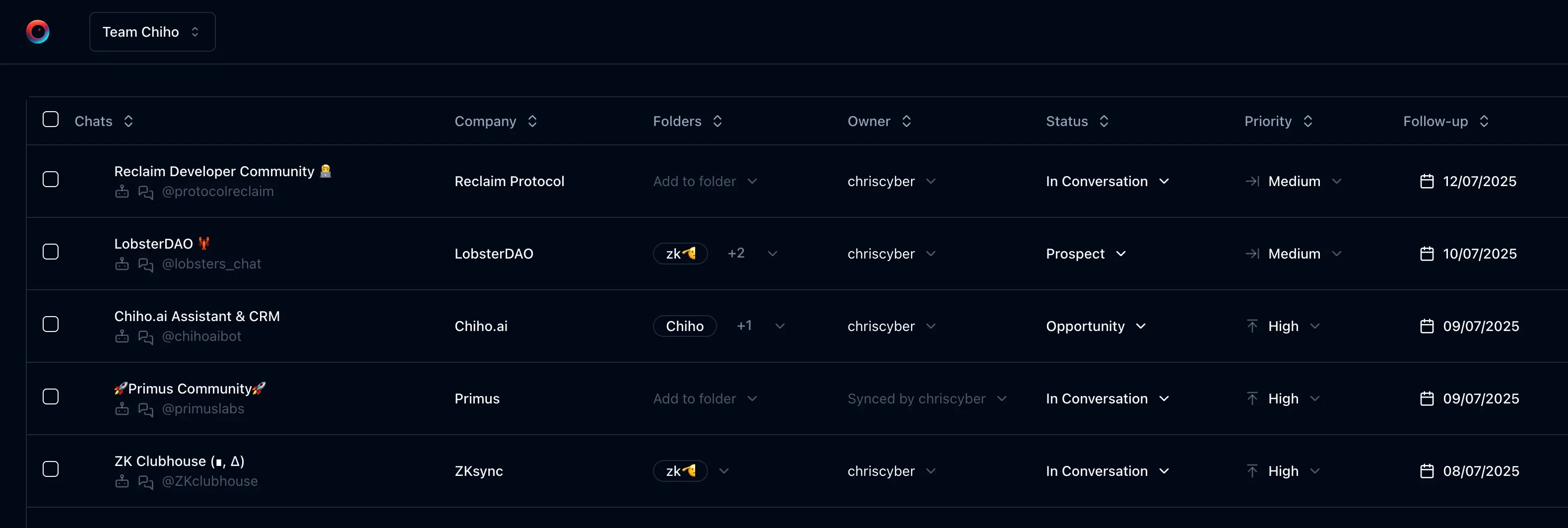
Keep customer work available to the team
Telegram is often where customers, partners, and colleagues already communicate. A company CRM needs to preserve the work around those conversations: the customer’s context, the last decision, the next task, and who will follow through.
Chiho combines a web CRM, connected Telegram workflows, and an optional hosted MCP connection for compatible AI clients. A company deployment discussion starts with which accounts and conversations the team should manage, who needs access, and where each part of the service will operate.
Choose the deployment model deliberately
Chiho Cloud
Use the hosted product when you want a managed CRM workspace and browser-based AI-client onboarding. Start with a small set of representative conversations, review your team access, and confirm how the workflow handles customer handovers and follow-ups.
A company deployment
If your organization has infrastructure requirements, ask us to scope a deployment in your environment. The application includes a Next.js frontend, a backend that manages Telegram sync and jobs, and a separate token-verification service. Configuration also involves identity, persistent data, secrets, domains, and the AI services selected for your workflows.
This is a deployment project to review with your technical team, not a promise that every enterprise integration is available out of the box. Confirm the supported topology, operational responsibilities, maintenance process, and support scope before choosing it.
A personal local agent runtime
The open-source Telegram agent repository provides the local CLI, MCP runtime, and workflow skills. Running a personal worker and database is different from operating a shared company CRM. Use the local setup when that narrower operating model fits your needs.
Map the data flow before rollout
A typical workflow starts at a connected Telegram account. Chiho reads permitted conversation context and associates imported chats with CRM records such as tags, companies, tasks, and summaries. An authorized teammate or AI client can then request that context and supported actions.
Hosting application components in your environment does not remove Telegram from the communication path. Identity and database services, AI inference providers, and selected AI clients can also be involved depending on configuration. Review each data recipient, the credentials it requires, and its retention behavior. The privacy policy describes the hosted service’s data categories and recipients.
For your deployment review, document:
- Which Telegram accounts connect and who owns their login/recovery process.
- Which personal and team contexts users and AI clients can access.
- Where application data, Telegram session material, logs, and backups reside.
- Which identity, database, and AI providers the deployment uses.
- How credentials are stored, rotated, and revoked.
- Who applies updates, monitors failures, restores backups, and handles incidents.
Validate the team workflow
Run a pilot with a few conversations that reflect daily work. Check that the right people can find customer context, that another teammate can take over an open task, and that removing access has the expected result. Compare a conversation’s source messages with its generated summary before using it for a handover.
If your team uses AI clients, test a read, a CRM update, and an action that requires approval separately. Review the client identity and permissions during OAuth consent. Our Telegram MCP setup guide explains connection and action behavior.
Agree requirements instead of assuming them
Bring your requirements for identity integration, access reviews, data retention, audit exports, backups, availability, and support to the deployment discussion. Ask us to confirm which are supported by the proposed configuration and which need additional work. We do not present a deployment option as a certification or a guarantee of regulatory compliance.
A practical rollout sequence
- Discovery: identify the workflow, account owners, users, and required integrations.
- Architecture review: agree data flows, service locations, access boundaries, and operational ownership.
- Pilot: connect representative accounts and test sync, summaries, tasks, handovers, and recovery procedures.
- Acceptance: record the evidence for your requirements, open gaps, and agreed support process.
- Rollout: introduce accounts and users in stages, with a clear point of contact for access and service issues.
Discuss your company setup
Contact the Chiho team with your expected team size, connected-account needs, deployment environment, and the workflow you want to improve. Leave credentials and private customer messages out of the initial inquiry. We can then plan an appropriate technical discussion and demonstration.
For product evaluation, start with the Telegram CRM buyer’s guide and the shared-context handover example.